Order ABC Supply materials
from the job.
Price materials with your ABC Supply account and send the purchase order to your branch from ApexOS. When the office needs an update, your team can check the status your branch reports in the order details.
Contact our team to confirm ordering access for your account.

- Browse the product catalog
- See your account pricing
- Place your material order
- Check your order status
-
Less busywork Give your team time back.
-
More confidence Keep material costs in view.
-
Smoother handoffs Keep every job moving.
You won the job.
Getting materials shouldn’t be the hard part.
When an estimator picks the materials and the office orders them in a separate system, someone has to match up product names, prices, and quantities all over again.
In ApexOS, your team can check ABC Supply pricing and place the material order where it already manages the job.
Know what to price before you order.
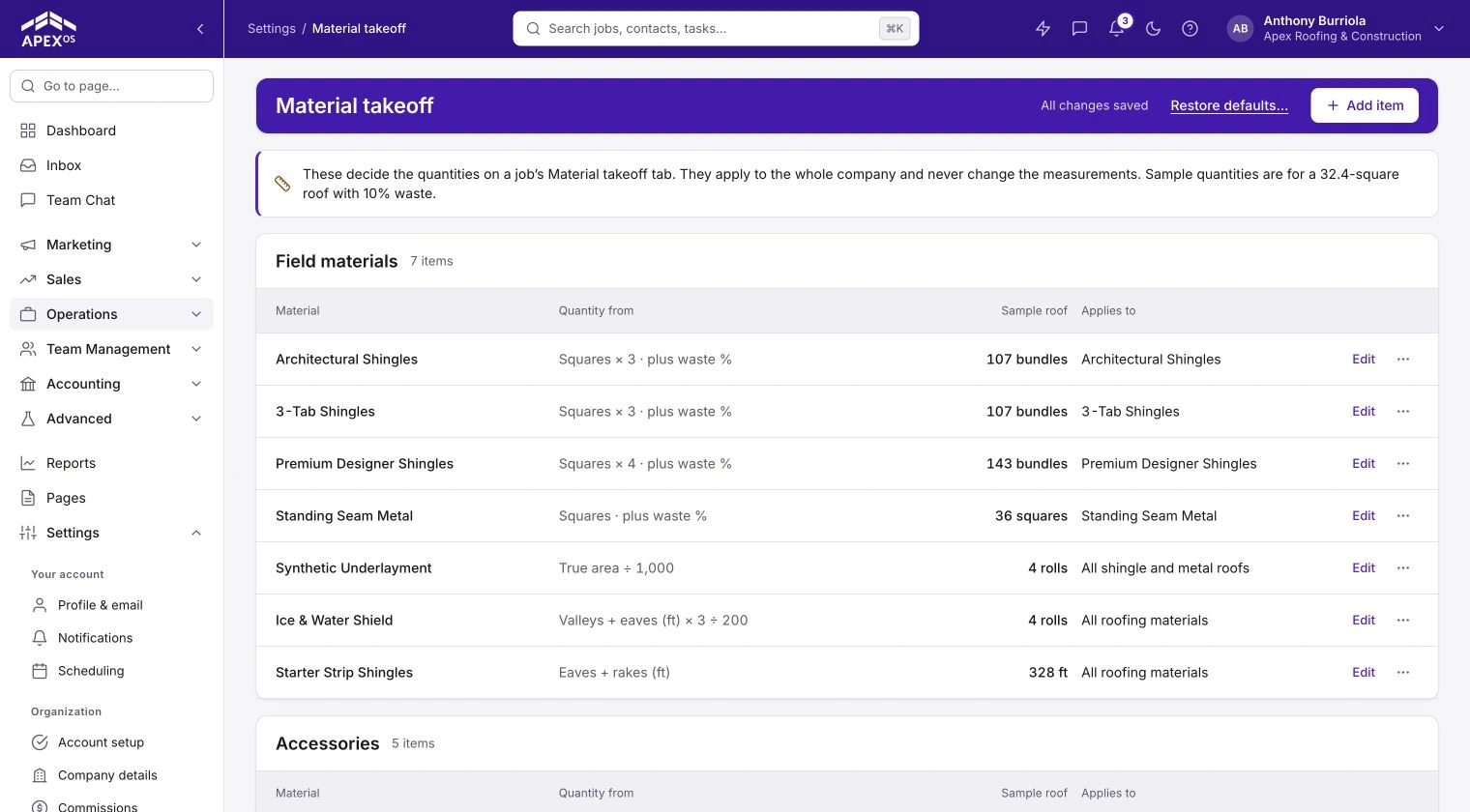
Use the ApexOS material takeoff to plan quantities for the job. Then choose products from the ABC Supply catalog and check your account pricing before you place the order.
- Browse ABC Supply products inside ApexOS.
- Use your account pricing to inform the estimate.
- Spend less time cross-checking separate systems.
Get materials ordered.
Get on with the job.
Choose the products and quantities, then send your purchase order to your ABC Supply branch. When the branch reports an update, your team can see it in the order details.
- Submit the purchase order from ApexOS.
- Keep the order confirmation number handy for branch questions.
- Check the status your branch reports.
Your workflow. Better connected.
We’ll help you bring your supplier connection into the way your team already works.
-
Tell us about your team.
Answer a few questions about your roofing business to get started with ApexOS.
-
Choose your next step.
Sign up for ApexOS, or book a demo to see how material orders fit into the way you run a job.
-
Connect your ABC Supply branch.
Once access is enabled, your ApexOS administrator can connect your ABC Supply account and select your Ship-To account and branch.
A few things you might be wondering.
What can I do with the ABC Supply integration?
With account access, you can browse ABC Supply’s catalog, check your pricing, send purchase orders to your branch, and see the status your branch reports in your order details.
Can I keep working with ABC Supply?
Yes. The integration brings your ABC Supply workflow into ApexOS. Our team can walk you through connecting your account and using it alongside the way you manage your jobs.
How do I get started?
New to ApexOS? Start here to sign up or book a demo. If your team already uses ApexOS, ask about connecting ABC Supply. We’ll confirm access and help your administrator select your Ship-To account and branch.
Is SRS Distribution available too?
The SRS Distribution integration is coming soon. Visit the SRS page for its current availability and to request updates from our team.
Less chasing materials.
More moving jobs forward.
See what a connected ABC Supply workflow could look like for your team.